Family moments
Give an ordinary garden afternoon, holiday, or visit a second life as an activity to enjoy together.
Photo to coloring page
Lumo is an AI-assisted photo-to-coloring-page app that turns an image from your library into personalized black-and-white line art. You choose the activity style and print settings, review the result, and open the native print sheet when it is ready.
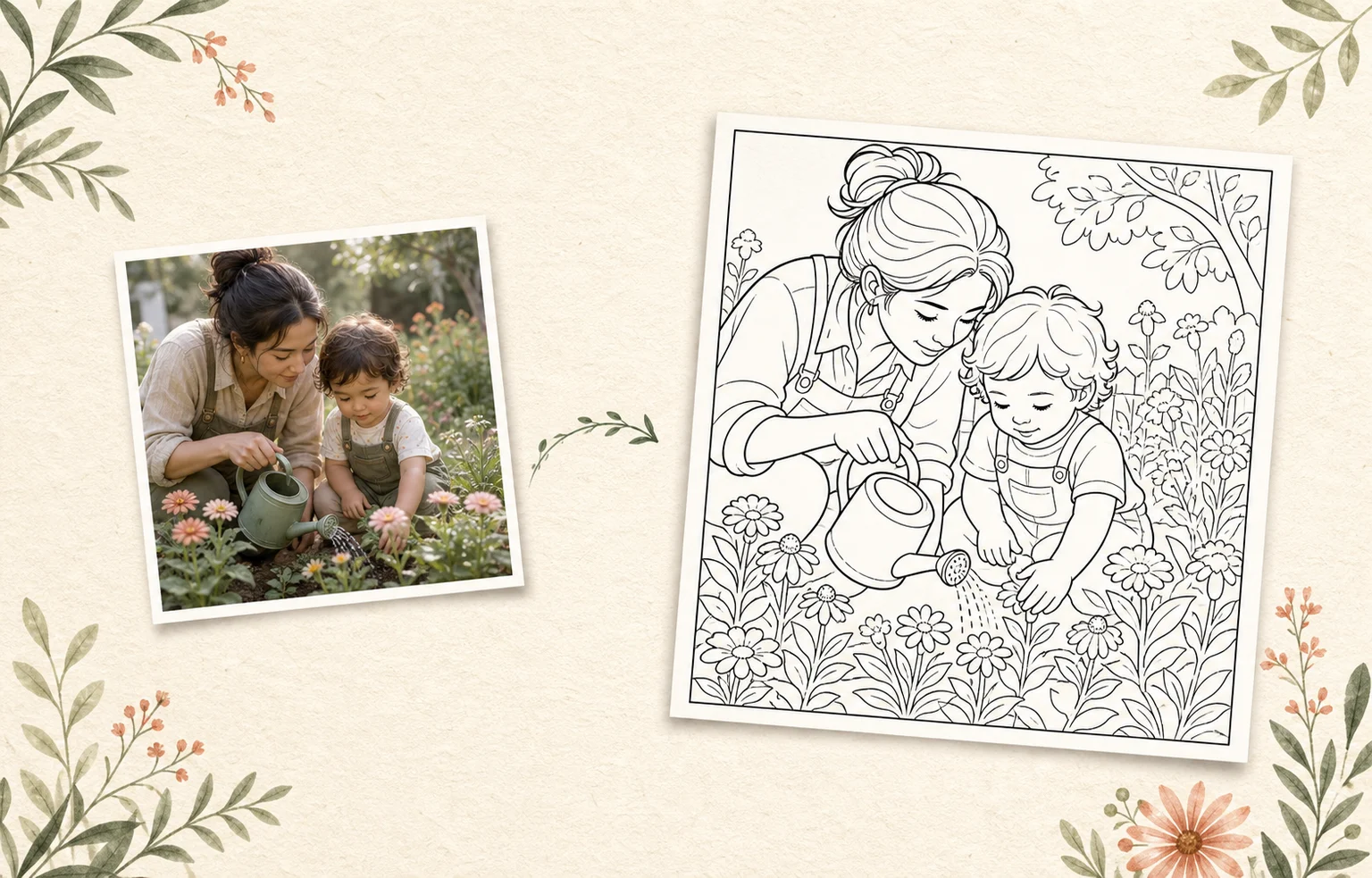 A favorite momentA printable to keep
From a moment on your camera roll
to something the family can color, print, and keep.See the complete moment
This 13-second product story follows the real promise: choose a family photo, shape the printable, print it, and bring the finished page back to the table.
A caregiver selects a family photo on an iPhone. The moment becomes a black-and-white printable coloring page, comes out of a printer, and is colored with crayons.
Lumo at a glance
Product facts reviewed 20 July 2026 by Woosoo Pty Ltd.
Inside the real Lumo app
This is not a one-tap filter. You choose what to make, how the lines should feel, and what happens when the page is ready.
Actual Lumo app screens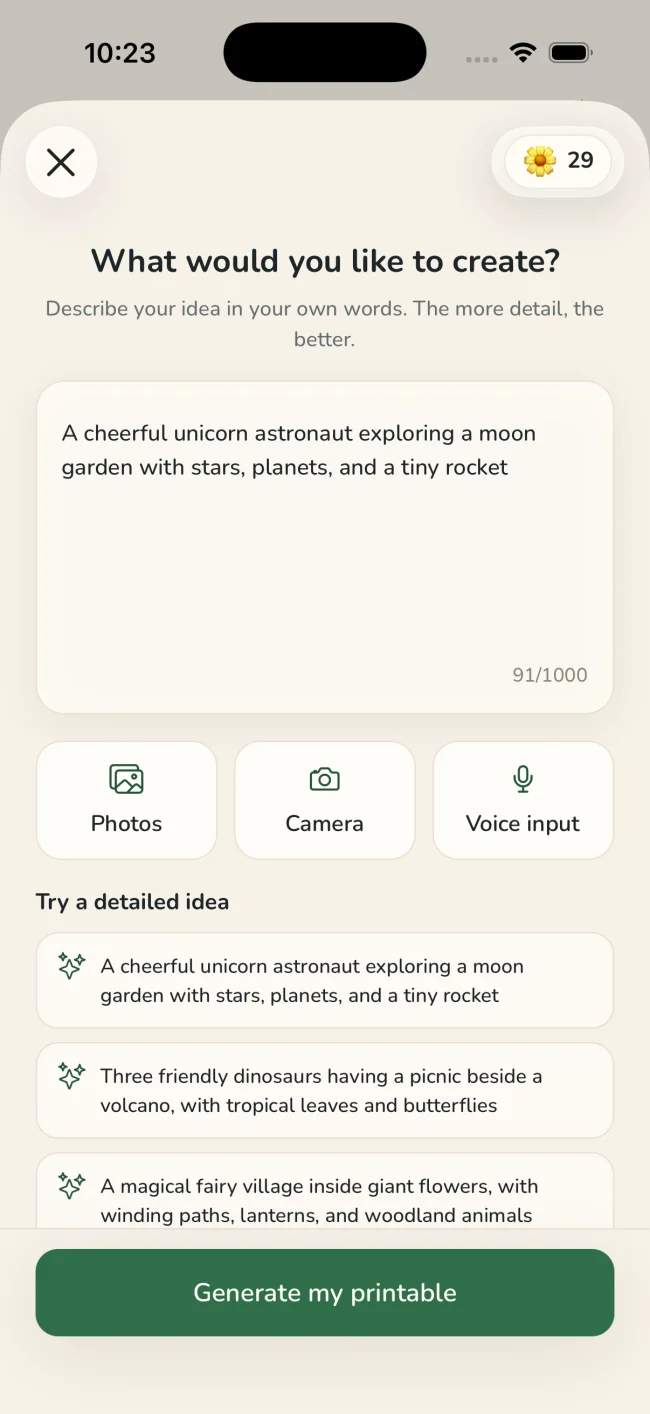
Pick a clear favorite from your photo library. Lumo keeps creations private unless you deliberately share the generated activity.
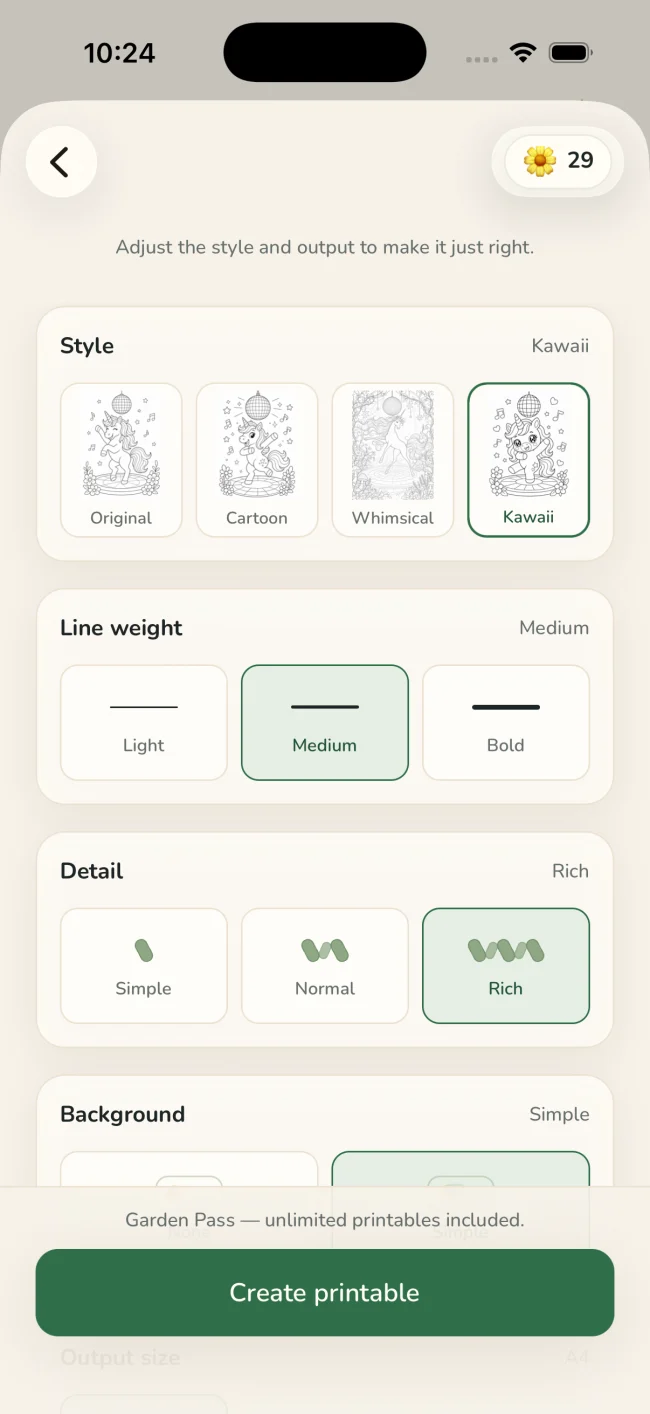
Choose the activity type, line weight, detail, background, style, and paper size.
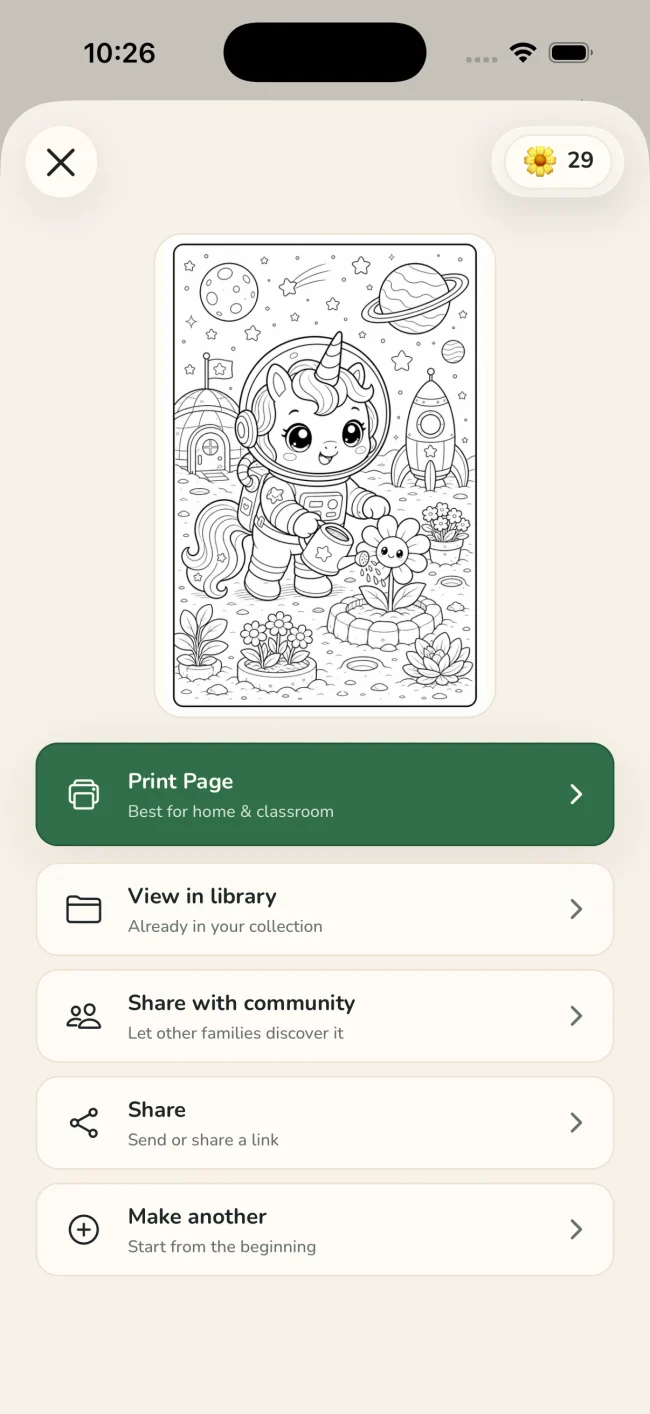
Check the finished page, then use the native iOS print sheet or save and share the generated activity.
One idea, four ways to playColoring · Tracing · Drawing · Story
Tuned for real paperStyle · line weight · detail · background · paper size
Why make it personal?
A printable feels different when it begins with someone—or something—you already love.
Give an ordinary garden afternoon, holiday, or visit a second life as an activity to enjoy together.
Make a one-of-a-kind page for a grandparent, birthday table, family gathering, or quiet weekend.
The same idea can become coloring, tracing, drawing steps, or a reusable story character activity.
A quiet privacy promise
Only the generated activity can be shared with the Lumo community—and only when you deliberately choose to share it.
Questions
Yes. Choose a photo in Lumo, select Coloring, tune the line style and detail, and generate a print-ready page.
No. Original photos are private. Sharing with the community publishes only the generated activity, and only after you choose to share it.
Yes. Lumo opens the native iOS print sheet directly, so you can choose an available printer and normal system print options.
Yes. Lumo uses image-generation models to interpret your photo or written idea, while the caregiver chooses the activity type, style, line weight, detail, background, and paper size before reviewing the result.
Family moments, made printable.
Free to start on iPhone and iPad